
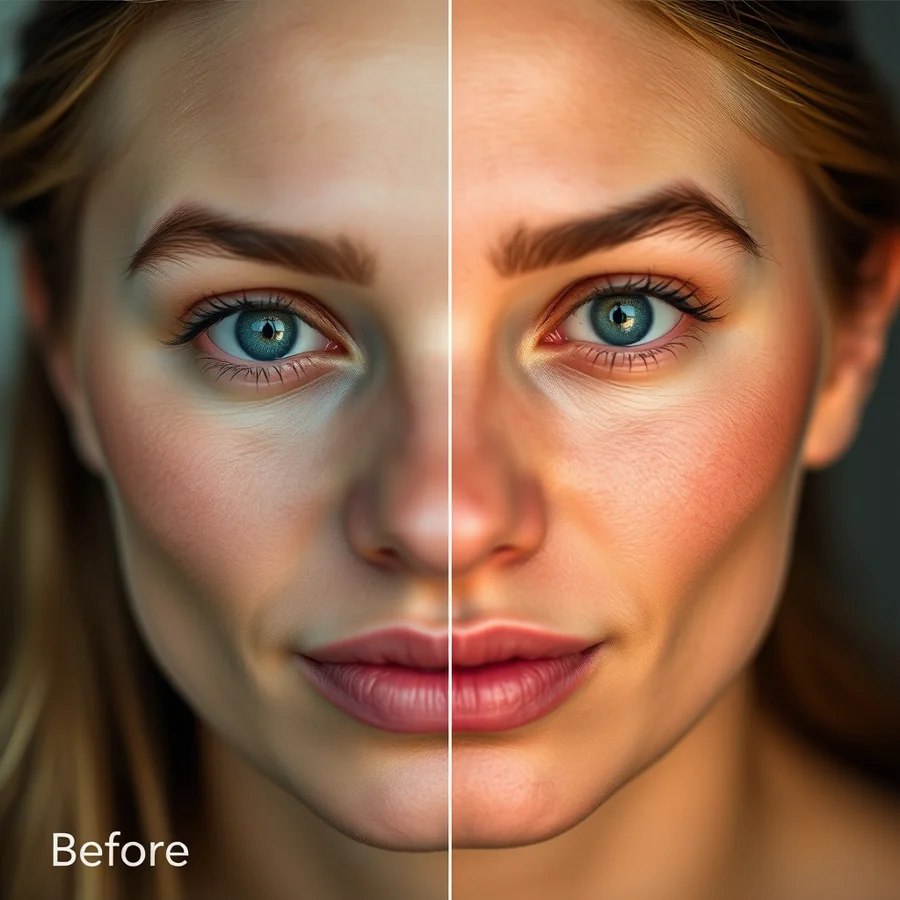
ComfyUI with Impact Pack face restoration — notice the difference in facial detail and skin texture.
Introduction
ComfyUI's power comes from its ecosystem of custom nodes. While the core installation handles basic image generation, the real magic happens when you extend it with custom nodes. In 2026, the ComfyUI node ecosystem has matured significantly — what was once a collection of experimental nodes has become a robust library of production-ready tools.
This guide covers the 20 essential custom nodes and extensions that every ComfyUI user should have installed. We've tested each one extensively and only recommend nodes that are actively maintained, well-documented, and genuinely useful.
Whether you're a beginner just getting started or an advanced user looking to expand your toolkit, this list will help you build the most capable ComfyUI setup possible.
How to Install Custom Nodes
Before diving into the recommendations, let's cover installation. The easiest way to install custom nodes is through ComfyUI Manager, which provides a one-click install interface.
- Install ComfyUI Manager:
cd ComfyUI/custom_nodes git clone https://github.com/ltdrdata/ComfyUI-Manager.git - Restart ComfyUI
- Click "Manager" in the top menu
- Browse the node library and click "Install" on any node
Alternatively, you can clone individual node repositories directly into the custom_nodes folder and restart ComfyUI.
Pro tip: Always install ComfyUI Manager first. It's the single most useful tool in the entire ComfyUI ecosystem.
Essential Nodes for Every Workflow
1. ComfyUI Manager
Category: Utility
Why it's essential: One-click installation, updates, and management of all other custom nodes. Without it, you're manually cloning repositories and managing dependencies.
Key features:
- Browse and install nodes from a curated library
- One-click updates for all installed nodes
- Dependency checking and conflict detection
- Workflow node lookup (find which nodes a workflow uses)
- Backup and restore workflow configurations
Installation: Clone from GitHub or use the built-in installer in ComfyUI settings.
If you only install one custom node, make it ComfyUI Manager. Everything else builds on top of it.
2. Impact Pack
Category: Processing
Why it's essential: Mass processing, face restoration, and batch operations. The Impact Pack is the Swiss Army knife of ComfyUI extensions.
Key features:
- Face Restore (CodeFormer): Restore and enhance faces in generated images
- Segment Anything (SAM): Automatic object segmentation for precise editing
- Mask tools: Advanced masking with edge refinement and feathering
- Batch processing: Process multiple images in a single workflow
- Detector nodes: Face detection, hand detection, body pose estimation
Best for: Product photography, portrait enhancement, batch image processing
3. ControlNet Preprocessors
Category: ControlNet
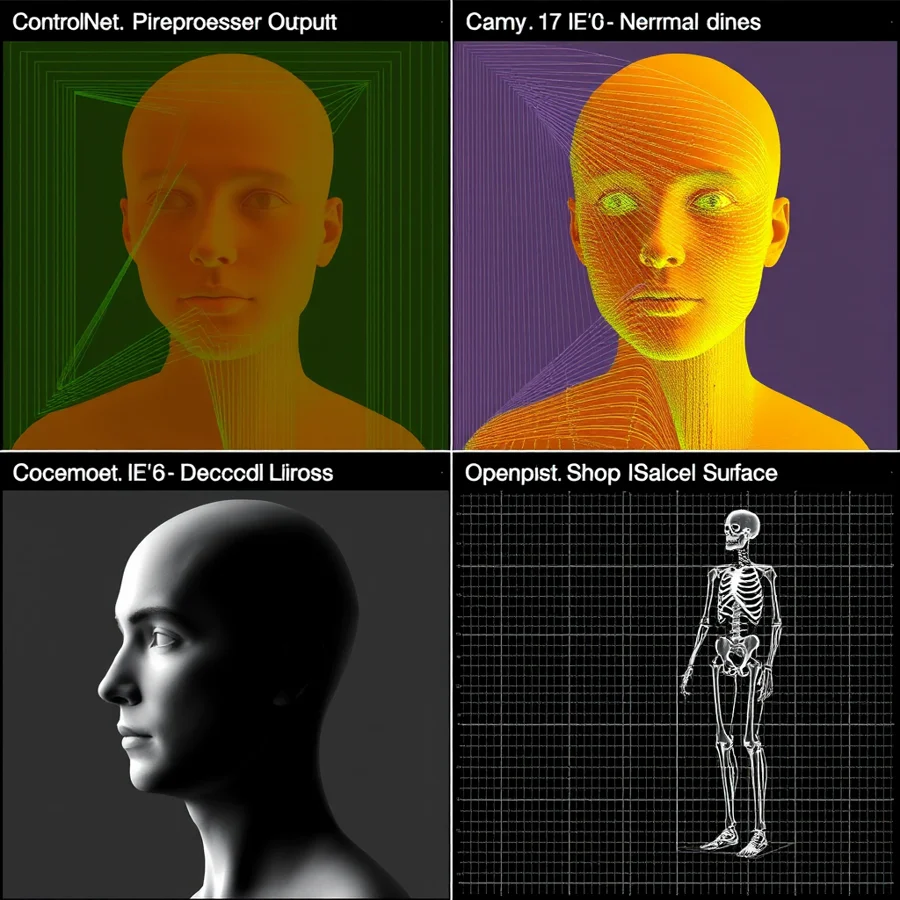
Why it's essential: ControlNet is one of the most powerful features in AI image generation, and these preprocessors are what make it work. They analyze input images and extract structural information (edges, depth, poses) that guide the generation process.
Key preprocessors:
- Canny/Edge: Extract edge maps for precise line control
- Depth: Generate depth maps for 3D-aware composition
- OpenPose: Extract human pose skeletons for pose control
- Normal Map: Extract surface normals for lighting control
- DensePose: Full-body human pose with hand and foot detail
- Tile: Progressive upscaling with detail preservation
Best for: Consistent composition, pose control, style transfer, upscaling
4. IP-Adapter
Category: Style Transfer
Why it's essential: IP-Adapter allows you to control the style and content of generated images using reference images. It's the closest thing ComfyUI has to "generate images in the style of this photo."
Key features:
- IP-Adapter Face ID: Face-specific style transfer for character consistency
- IP-Adapter Style: Transfer artistic style from reference images
- IP-Adapter Full: Full image content transfer (not just style)
- Multiple adapters: Chain multiple IP-Adapters for complex style combinations
- Weight control: Fine-tune the influence of each reference image
Best for: Character consistency, style transfer, brand-specific imagery
5. AnimateDiff
Category: Animation
Why it's essential: AnimateDiff is the go-to extension for generating short AI video clips from text prompts. It adds temporal consistency to image generation, producing smooth animations.
Key features:
- Text-to-video: Generate short video clips from text prompts
- Image-to-video: Animate still images with motion control
- Motion modules: Multiple motion presets (camera pan, zoom, character walk)
- Frame interpolation: Smooth interpolation between keyframes
- Loop support: Create seamless looping animations
Best for: Social media content, product animations, motion graphics
Advanced Nodes for Power Users
6. VideoHelperSuite
Category: Video
Why it's essential: Essential for anyone working with video output. Handles video encoding, frame extraction, and format conversion.
Key features: FFMPEG integration, frame extraction, frame interpolation, audio sync, batch video processing.
7. SAM (Segment Anything Model)
Category: Segmentation
Why it's essential: SAM provides state-of-the-art object segmentation. Combined with the Impact Pack, it enables precise object selection and editing in generated images.
Key features: Automatic segmentation, point-click selection, box segmentation, mask refinement, multi-object selection.
8. ComfyUI-Custom-Scripts
Category: UI Enhancement
Why it's essential: Enhances the ComfyUI interface with additional features and improvements.
Key features: Auto-connect nodes, improved node search, custom keyboard shortcuts, workflow templates, debug mode.
9. ComfyUI-Advanced-ControlNet
Category: ControlNet
Why it's essential: Advanced ControlNet functionality with additional features beyond the base ControlNet implementation.
Key features: Multi-ControlNet, weight scheduling, ControlNet merging, regional conditioning, ControlNet inpainting.
10. ComfyUI-Florence2
Category: Vision
Why it's essential: Florence2 vision model integration for image understanding and captioning.
Key features: Image captioning, object detection, scene recognition, visual question answering, OCR.
Specialized Nodes
11. ControlNet Auxiliary Preprocessors
Category: ControlNet
Why it's essential: Additional preprocessors for specialized ControlNet applications.
Key features: MLSD (line detection), HED (holistic edges), PiDiNet (parallel boundaries), Scribble (sketch to line art), LeReS (depth estimation).
12. IP-Adapter-FaceID
Category: Face Recognition
Why it's essential: Specialized face recognition IP-Adapter for character consistency across multiple generations.
Key features: Face embedding extraction, face matching, identity preservation, multi-face support.
13. ComfyUI-Impact-Subpack
Category: Utilities
Why it's essential: Extension to the Impact Pack with additional utility nodes for advanced workflows.
Key features: Advanced mask operations, color space conversions, image blending modes, advanced interpolation.
14. ComfyUI-Inspire-Chain
Category: Workflow
Why it's essential: Chain-based workflow management for complex multi-stage processes.
Key features: Node chaining, conditional execution, loop support, workflow optimization.
15. ComfyUI-Image-Selector
Category: UI
Why it's essential: Advanced image selection and comparison tools for workflow optimization.
Key features: Side-by-side comparison, rating system, best selection, export workflows.
16. ComfyUI-Model-Manager
Category: Model Management
Why it's essential: Centralized model management for large ComfyUI installations.
Key features: Model organization, model recommendations, model compatibility, model sharing, model download.
17. ComfyUI-Workflow-Optimizer
Category: Optimization
Why it's essential: Automatically optimize workflows for performance and memory usage.
Key features: Memory optimization, execution optimization, batch optimization, GPU utilization, profile analysis.
18. ComfyUI-Text-Overlay
Category: Typography
Why it's essential: Professional text overlay and typography for social media content.
Key features: Text placement, font support, text styling, text wrapping, gradient text.
19. ComfyUI-Export
Category: Export
Why it's essential: Export workflows and generated images in various formats.
Key features: Multi-format export, metadata embedding, batch export, format conversion, quality settings.
20. ComfyUI-Manager-Plus
Category: Utility
Why it's essential: Enhanced version of ComfyUI Manager with additional features.
Key features: Workflow sharing, node documentation, version control, community ratings, auto-update scheduling.
Installation Quick Reference
| Node | Category | Difficulty | Must-Have? |
|---|---|---|---|
| ComfyUI Manager | Utility | Easy | Absolutely |
| Impact Pack | Processing | Easy | Yes |
| ControlNet Preprocessors | ControlNet | Medium | Yes |
| IP-Adapter | Style Transfer | Medium | Yes |
| AnimateDiff | Animation | Medium | Optional |
| VideoHelperSuite | Video | Medium | Optional |
| SAM | Segmentation | Easy | Yes |
| Custom-Scripts | UI | Easy | Yes |
| Advanced-ControlNet | ControlNet | Hard | Optional |
| Florence2 | Vision | Medium | Optional |
Final Thoughts
The ComfyUI ecosystem continues to grow and improve. By installing the right combination of custom nodes, you can transform ComfyUI from a basic image generator into a professional-grade creative tool.
Our top recommendations for beginners:
- ComfyUI Manager
- Impact Pack
- ControlNet Preprocessors
- IP-Adapter
Our top recommendations for advanced users:
- Everything above, plus:
- AnimateDiff
- Advanced-ControlNet
- Florence2
- Workflow Optimizer
Remember: start with the essentials and add more nodes as your needs grow. Too many nodes can slow down ComfyUI and make workflows harder to manage.
Have questions about ComfyUI custom nodes? Drop a comment below or join our Discord community for real-time help.